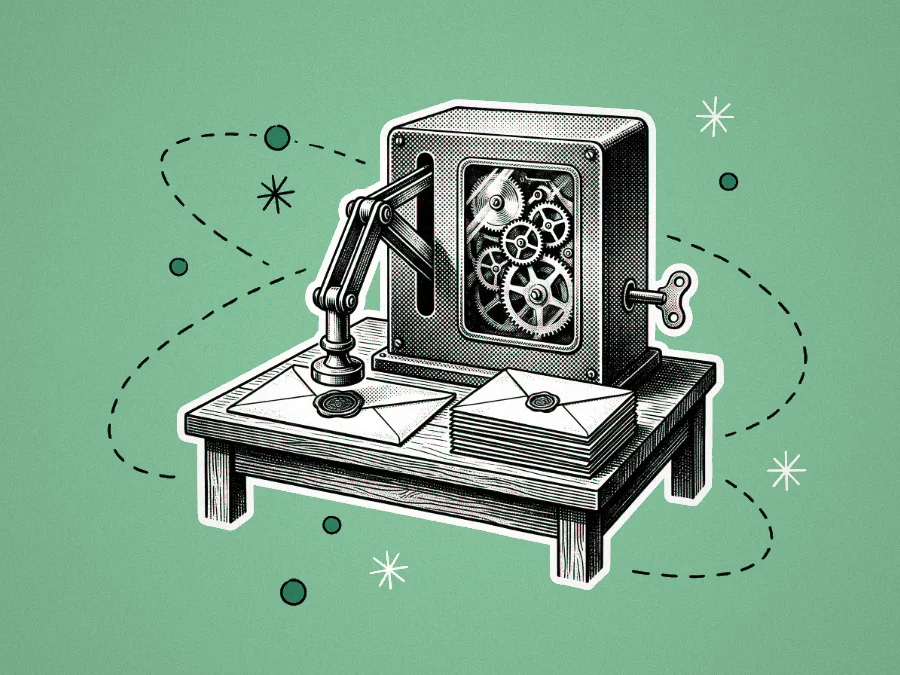







A halftone illustration of a retro gear-driven machine with a robotic arm picking up envelopes from a wooden table, surrounded by hand-drawn dotted loops and stars.
AI Automation

AI automations that just run.

AI automations for the repetitive, model-heavy work. Web scraping, document processing, lead enrichment, daily briefings, content moderation. Built with the queues, retries, and human-in-the-loop checkpoints that keep them running in production.

Talk to us
What you get

Everything an AI automation needs to actually run.

An automation isn't a workflow you wire up on a Friday afternoon. It's a pipeline that has to keep running on its own, recover when something upstream breaks, and tell you when it can't. Here's what we deliver.

01

A working production pipeline

Triggers, actions, and the glue between them, deployed to your stack and running on real data. Built with Mastra for LLM-heavy workflows or bespoke code on a Bull Queue worker when the job calls for it, depending on what the work actually needs.

02

Queues, retries, and idempotency

Every external API will fail eventually. We design for it: proper queueing under spikes, exponential backoff, dead-letter queues, and idempotent steps so a retry can't double-charge a customer or duplicate a record.

03

Logging, observability, and alerts

A run history you can actually read. What triggered, what happened at each step, what every API call returned, how long it took. Plus Slack or email alerts when a pipeline fails, slows down, or starts producing weird output. Silent failures are the worst kind.

04

Human-in-the-loop checkpoints

Some steps shouldn't run unattended (payments, content going public, records being deleted, customer-facing messages). We build review queues so a person signs off before the pipeline continues. The automation handles the routine cases; the edges land somewhere obvious.

05

A cost dashboard

Per-pipeline visibility on API spend, model tokens, and platform fees. So when a workflow scales you know whether it's still earning its keep, and you spot runaway costs before the invoice does.

06

Ongoing maintenance

SaaS APIs change, auth tokens expire, schemas drift, models get deprecated. We support and update the pipelines after launch, with pricing that reflects an ongoing relationship rather than a one-shot project.

How we work

6 week product cycles that always launch.

Build your vision with our 6-week product cycles. A small senior team, AI-amplified end-to-end, geared up to launch your idea in six weeks.

Why 6 Weeks? It's the Goldilocks Zone - Striking the perfect balance between allowing enough time to build something meaningful, while being short enough to keep risks low!

Whether its an MVP, prototype, or feature in a existing product, our 6 week cycles make sure you have something tangible at the end of the project.

Sounds cool! Tell me more

01: Discovery

Refine your ideas and plan what will be launched in 6 weeks.

A man looking through binoculars

02: Kick-off

We get cracking. Design, code, and AI work happen in parallel from day one.

A man skateboarding

03: Check-in

On week 3 get ready for an exciting demo of progress.

A hand holding a smart phone

04: Build & Iterate

Continue work and integrate feedback from the check-in.

A digger

05: Pre-launch

A check-in before launch to tie up loose ends and get ready.

A pocket watch

06: Launch

The big day is here, you idea is launched to the whole world.

A rocket flying
Use cases

What we usually build.

  • 01

    Document processing and analysis

    Inbound documents (invoices, contracts, claims, CVs, PDFs) get OCR'd, parsed, classified, and turned into structured data that lands in the right system. The edge cases go to a human queue; everything else posts on its own.

  • 02

    Web scraping and monitoring

    Pull data from sites that don't have an API, on a schedule. Competitor pricing, regulatory changes, product listings, public records: collected, normalised, and piped into your stack. We handle the anti-bot rules and the HTML changes that always come.

  • 03

    Lead enrichment and routing

    New leads get enriched from third-party data sources, scored against your ICP, and routed to the right rep or sequence in your CRM. Sales stops sorting inboxes; the pipeline does it.

  • 04

    Newsletters and daily briefings

    Daily, weekly, or monthly digests pulled from your data warehouse, product analytics, news feeds, or wherever. Summarised by an LLM and delivered to Slack, email, or a newsletter your customers actually open. The standing meeting becomes a post.

  • 05

    Content moderation

    User-generated content gets classified, flagged, and routed in real time (spam, toxicity, off-policy material), with the borderline cases going to a human queue. Tuned to your policy, not a generic model's defaults.

  • +

    Got something different?

    Tell us about your use case — we'll come back with a straight answer about whether it's something we can help build.

FAQs

Things people ask.

How long does it take to build an AI automation?

A simple trigger-to-action pipeline can be live in days. A multi-step workflow with proper queueing, error handling, observability, and a few SaaS integrations typically runs 2 to 6 weeks, depending on how many systems it touches and how strict the reliability bar is.

What tools and frameworks do you use?

For LLM-heavy workflows we typically reach for Mastra. Its evals, observability, and step graph fit the way we work. For bespoke pipelines we run our own code on Bull Queue (Redis-backed) so we get proper queueing, retries, and concurrency control. n8n, Zapier, or Make show up where the speed of building outweighs the platform fees and the logic stays simple. We pick based on cost, reliability, and how easy it'll be to maintain.

How do you handle errors and retries?

Every step that touches an external API gets queued, retried with exponential backoff, and designed to be idempotent so a retry can't cause duplicate side effects. Anything that still fails lands in a dead-letter queue with the full context, and you get an alert. Silent failures are the failure mode we design hardest against.

Do you build human-in-the-loop steps into automations?

Often. For anything where a wrong call costs you (payments, content going public, records being deleted, customer-facing comms), we build review queues. The automation handles the routine cases; the edges land in a queue, a person signs off, and the pipeline picks up where it left off. Where you draw the line between auto and review is part of the design conversation.

Do you support automations after launch?

Yes. Automations aren't ship-it-and-forget. SaaS APIs rotate auth, deprecate endpoints, drift schemas. Most engagements include an ongoing support arrangement: monitoring, fixes when something upstream changes, and tweaks as your process evolves.

Now booking

Got something boring to hand off?

Tell us what you're trying to ship. We'll come back with a straight answer.

Start a conversation