Every conversation we have with an AI agent now starts with the same shared folder, which holds what Pixelhop knows about its brands, clients and ways of working. Here's a tour of it, and of Treehouse, the open source tool we built to share it.
Every conversation we have with an AI agent now starts with the same folder attached. It holds what Pixelhop knows about its brands, its clients and how it works, and it grows every day. The tool we built to share that folder is called Treehouse, and it's in public beta from today.
Back in June we moved Pixelhop out of Notion and into one ordinary folder of Markdown files. Five months on, that folder is the company's second brain.
When Gem or I start work with an agent, the folder comes with it. The agent reads a short page of house rules, then a map of where things live, then only the notes the job needs. Ask it for a client report and it knows the client, what we did for them last month and that the owner wants it in plain English. Ask it for a blog post and it has already read our brand guide and a page on how each of us writes. This post started that way.
We don't explain any of that twice. Before the folder, every new chat began with us pasting in the same background, and whatever the agent worked out stayed in that chat.
It compounds, too. Agents write back into the same folder, so meeting notes, research and a record of the work they did all land where the next agent will find them. The notes one agent kept during a client's retainer day became the written procedure the next one followed. There are 22 of those procedures in the folder now, and about 7,800 files in all.
Agents are at their best with plain files, which is why this is a folder and not a wiki. Give Claude Code a folder and it looks around, reads what it needs and writes things down. Give it Notion and it spends its time paging through an API and writing pages that need tidying afterwards.
The catch is that a folder on one laptop is no good for a team. Gem couldn't see what my agent had changed overnight, there was no history to roll back to, and there was nothing we could hand to a client.
So we built Treehouse. The folder stays a normal folder on your laptop and syncs to everyone else's. Every change is kept and labelled with who made it, person or agent. Agents that aren't on your machine connect over MCP. And any file or folder can be shared with a link.
The rest of this post is a look around ours.
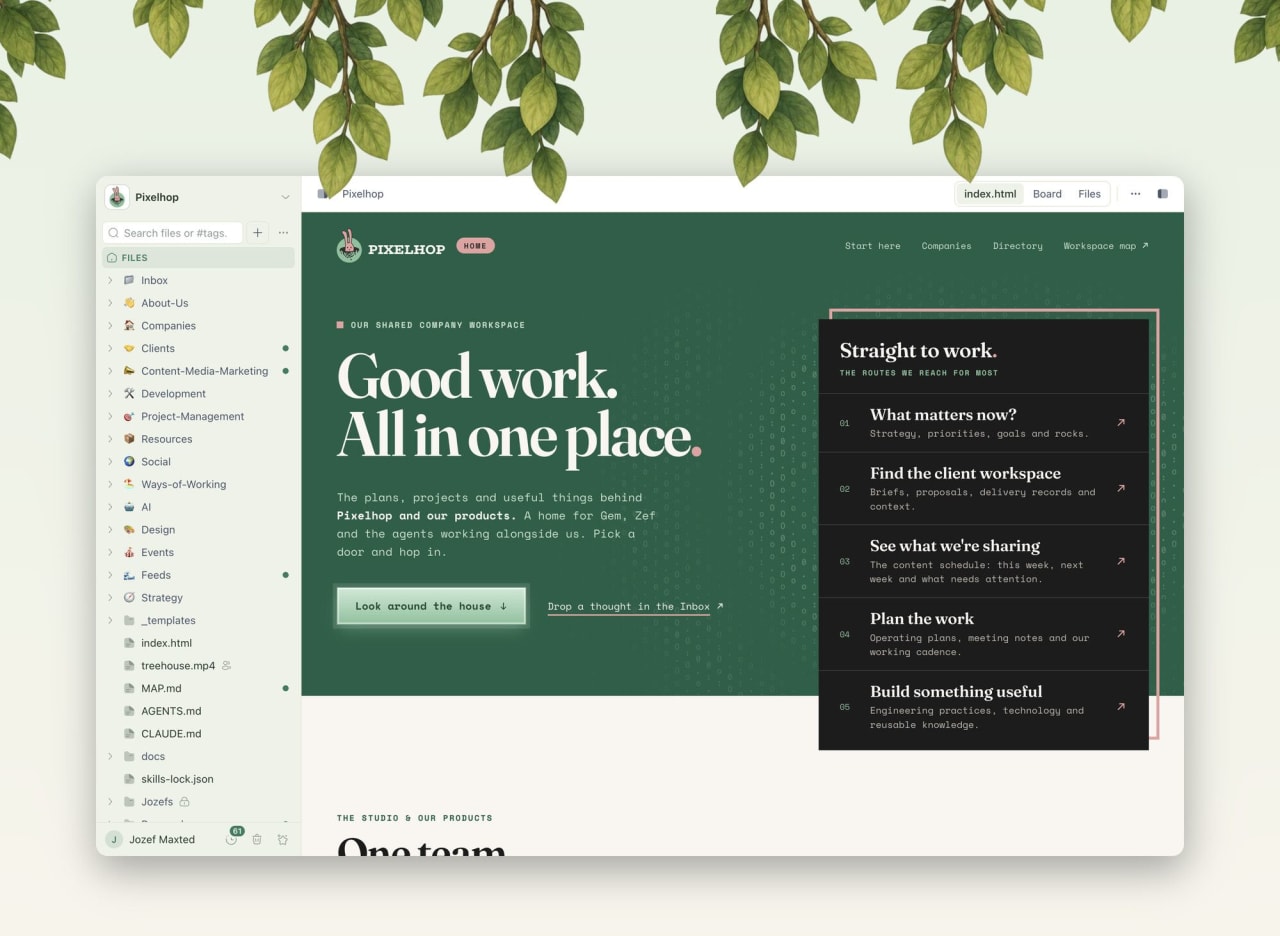 Our workspace in Treehouse. The home page on the right is an HTML file in the folder.
Client portals, from a folder
A lot of our client work is retainers. A client books a day or two a month and we spend it on their site, doing SEO, new content, fixes and small features. We used to send an email afterwards saying what we'd done. Those emails got buried, and three months on it was hard for either of us to say what had been done or what was waiting on whom.
So now each retainer client gets a portal. It's one link they keep. Every retainer day gets its own page, written in plain English, and there are pages for the current plan and for anything we need them to approve. We don't edit a day's page after it goes up, so it stays as a record of that day.
In Treehouse, any file or folder can be shared with a link, which can be public, password-protected or members only. Treehouse also renders HTML, so an HTML file in your workspace opens as a proper page instead of a wall of source. A folder of HTML pages shared by link works as a small website.
Four of our clients now have a client-portal folder inside their client folder, shared with a password-protected link. Open the link and you get a branded site with our logo next to theirs, an overview of where the project stands, a report for every retainer day, monthly SEO reports and a content plan.
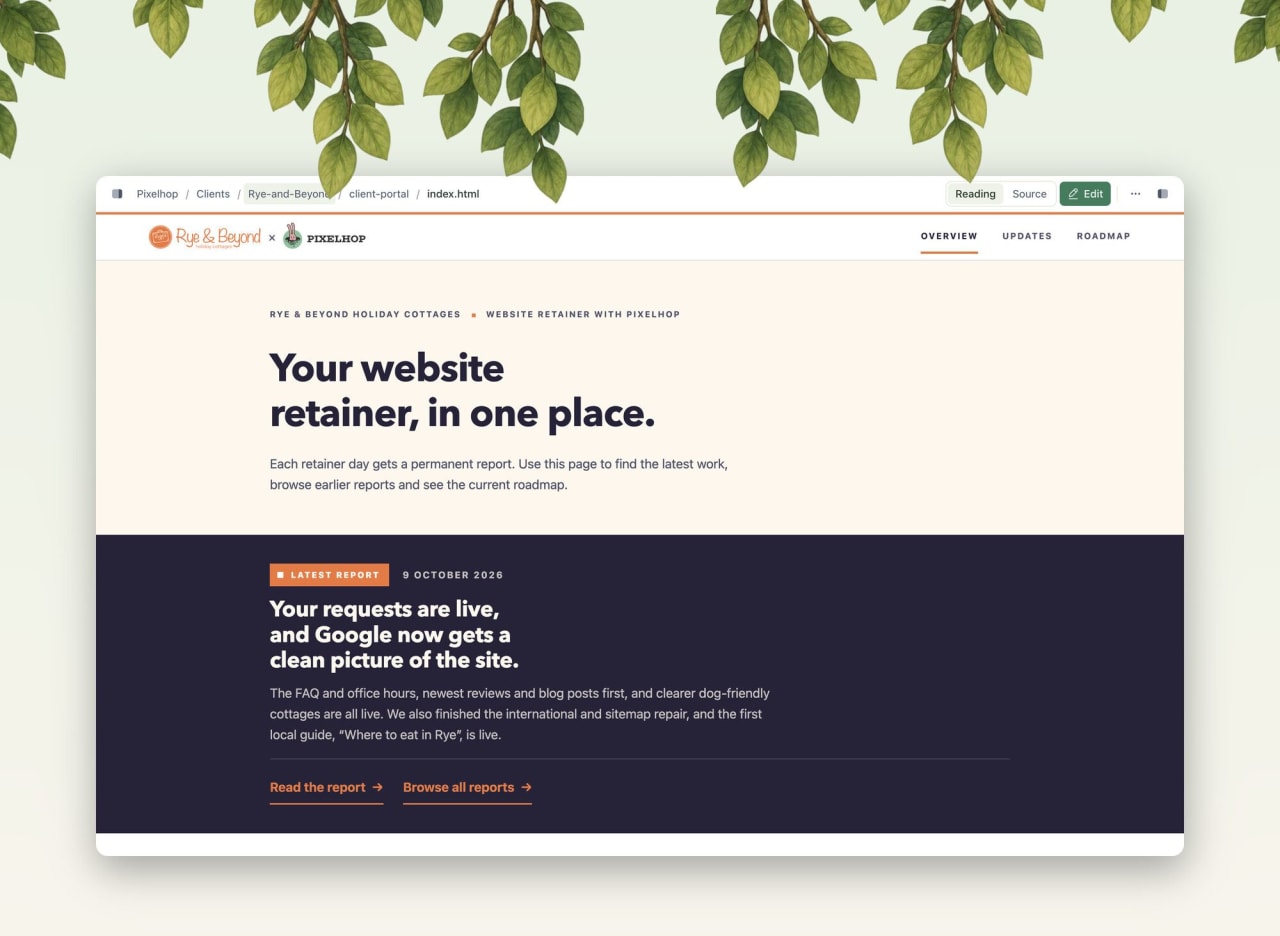 A client portal. It's a folder of HTML files, and the client opens it with a link and a password.
The biggest one has 18 approval pages. Each is a draft blog post or collection page laid out the way it will look live, with Approve and Request changes buttons at the bottom. The client reads the draft in the portal and replies, and an agent checks each page is live on the site before it marks it as done.
The portals are made the same way as everything else in the workspace. An agent writes the pages into the folder at the end of a retainer day, one of us reads them, and they sync. The same trick works for anything you can describe in HTML, so we also have a content schedule, a home page for the workspace and a few dashboards, all sitting in folders next to the notes they summarise.
Feeds: everything we read, saved where agents can find it
There's a top-level folder in our workspace called Feeds. We call it the river.
Scheduled agents write into it every day. One collects the Twitter bookmarks we saved yesterday. Others write research scans, a weekly review of the business, a summary of how Chat Thing customers used the product that week and a watchlist of accounts we follow. Each run adds one dated file and nothing gets rewritten afterwards.
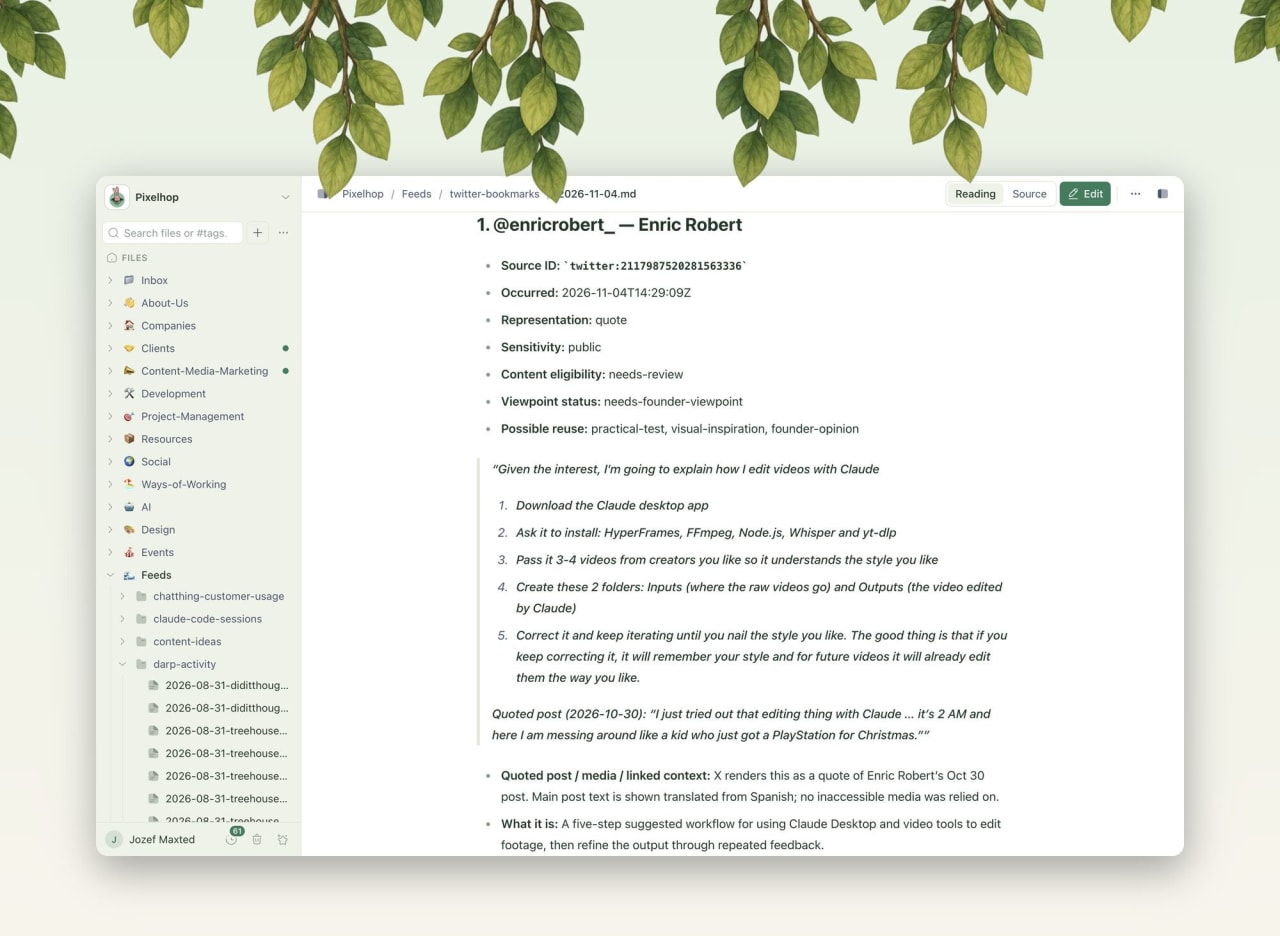 Yesterday's bookmarks, filed by an agent before we start work.
On its own that's a searchable log of what was going on in any given week. Twice a week another agent goes through the new material and pulls out anything that could be a post, with a link back to the source. There are 112 of those idea notes in the workspace now, each one traceable to the bookmark, conversation or bit of research it came from.
One of us saves a bookmark on a Tuesday evening and by Friday it has turned up in Slack as a post idea, with the reasoning attached and no work from us in between.
A record of what the agents built
The second kind of feed is written by the agents about their own work.
Whenever one of our coding agents starts a task, reaches a milestone, gets blocked or finishes, it adds a short record to the workspace. The record is a line or two of plain English and never includes code or prompts. Since the end of August they have logged 1,134 tasks this way, 3,189 records in all, across Chat Thing, Treehouse and client projects.
Treehouse keeps its own account too. Its activity feed lists every change to the workspace and says who made it, so a change one of our agents made is labelled with the agent's name next to the person it was working for.
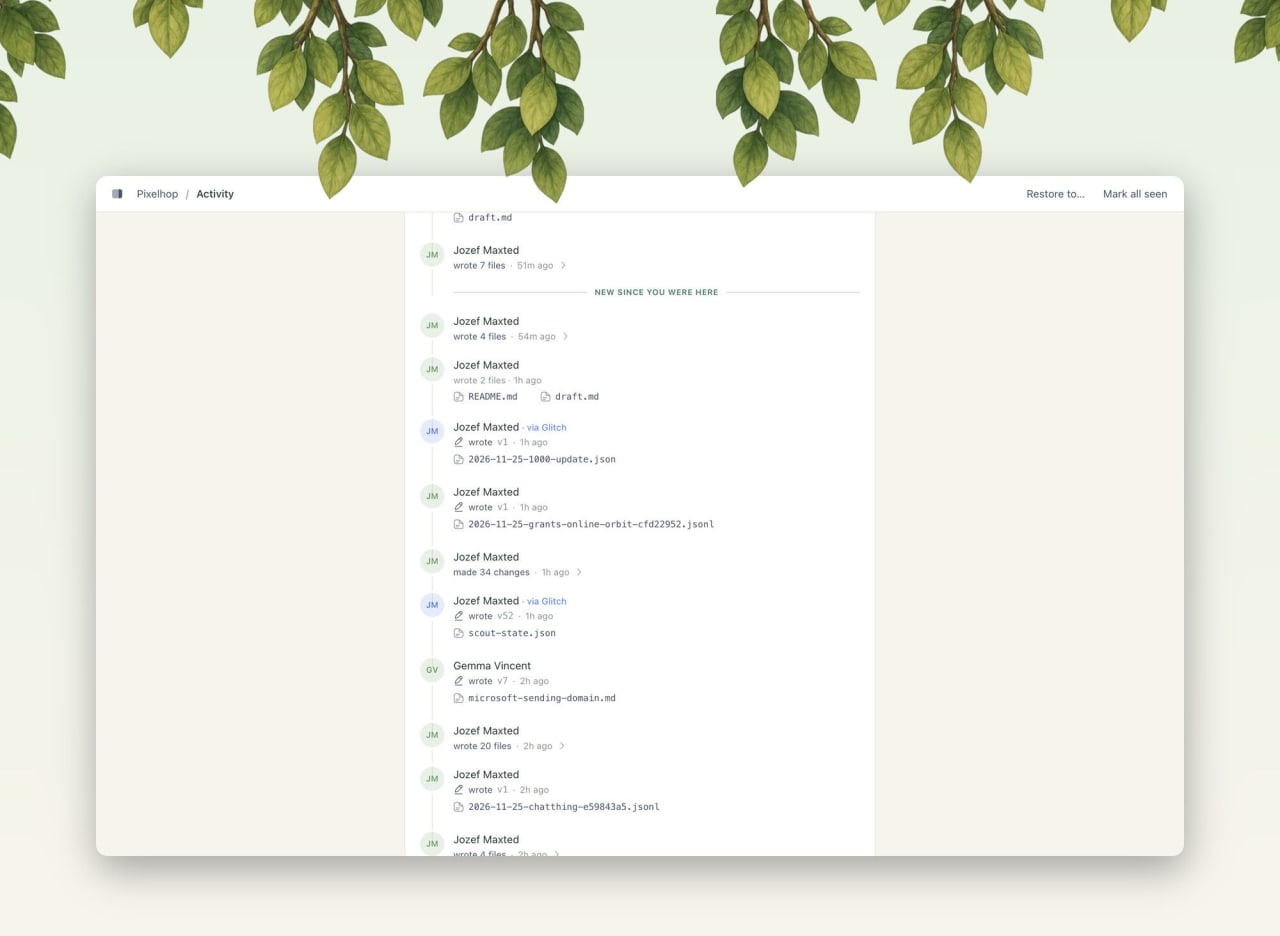 One morning in our workspace. "via Glitch" marks a change made by our agent, Glitch.
We started this so we could see what had happened overnight without reading pull requests. It turned out to be useful for content as well. An agent that can read what we shipped this fortnight can draft the changelog, write the "here's what we built" post and fill in the numbers for our shipped video, which is a short clip of the PRs merged and lines written that we post to social.
With both kinds of feed in the workspace, an agent starting a draft already knows what we've been reading and what we've been building.
An agent writes the draft, we review it in the comments
This post started as a draft written by an agent into a Markdown file in our workspace, and the review happened in Treehouse too.
The draft syncs and I open it in the Treehouse web app, where it reads like a document. I select a sentence I don't like and leave a comment on it, the same way I would in Google Docs. Gem does the same.
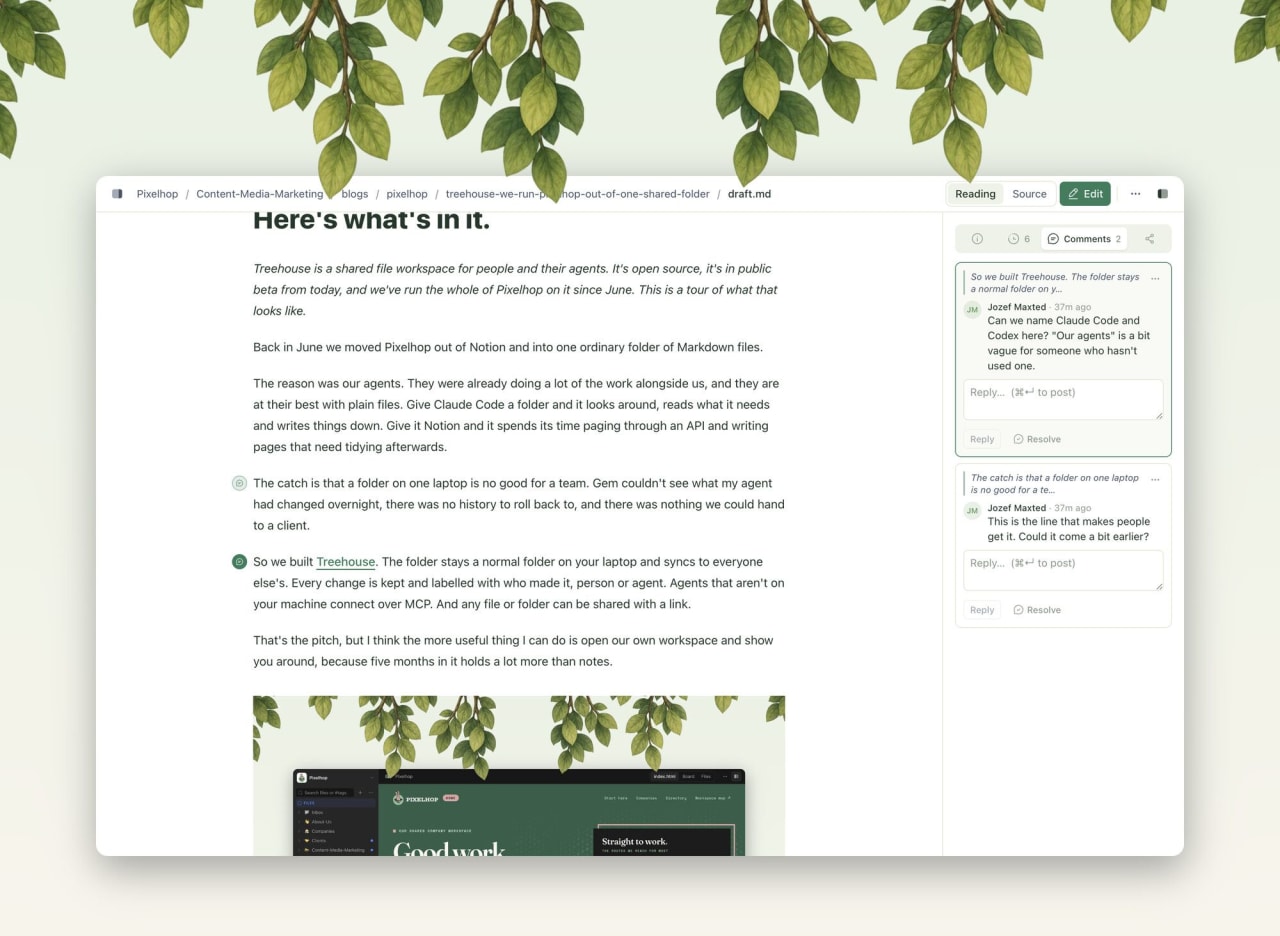 This post, mid-review.
The comments are available to agents over MCP, so the agent that wrote the draft can list them, change the text, reply to explain what it did and resolve the thread. It's the review loop we already had with each other, and now the agent takes part in it.
The back and forth also stays with the file. When a paragraph changes, the thread that asked for the change is still attached to it.
The content schedule is a folder too
Once a post is approved it needs to go out, and that runs from a folder called social-queue.
Every social post is one Markdown file. The top of the file says which account it's for and when it should publish, and everything underneath is the post text exactly as it will go out. Treehouse can show a folder of files like this as a kanban board, so ours opens as five columns: Draft, Approved, Scheduled, Posted and Failed.
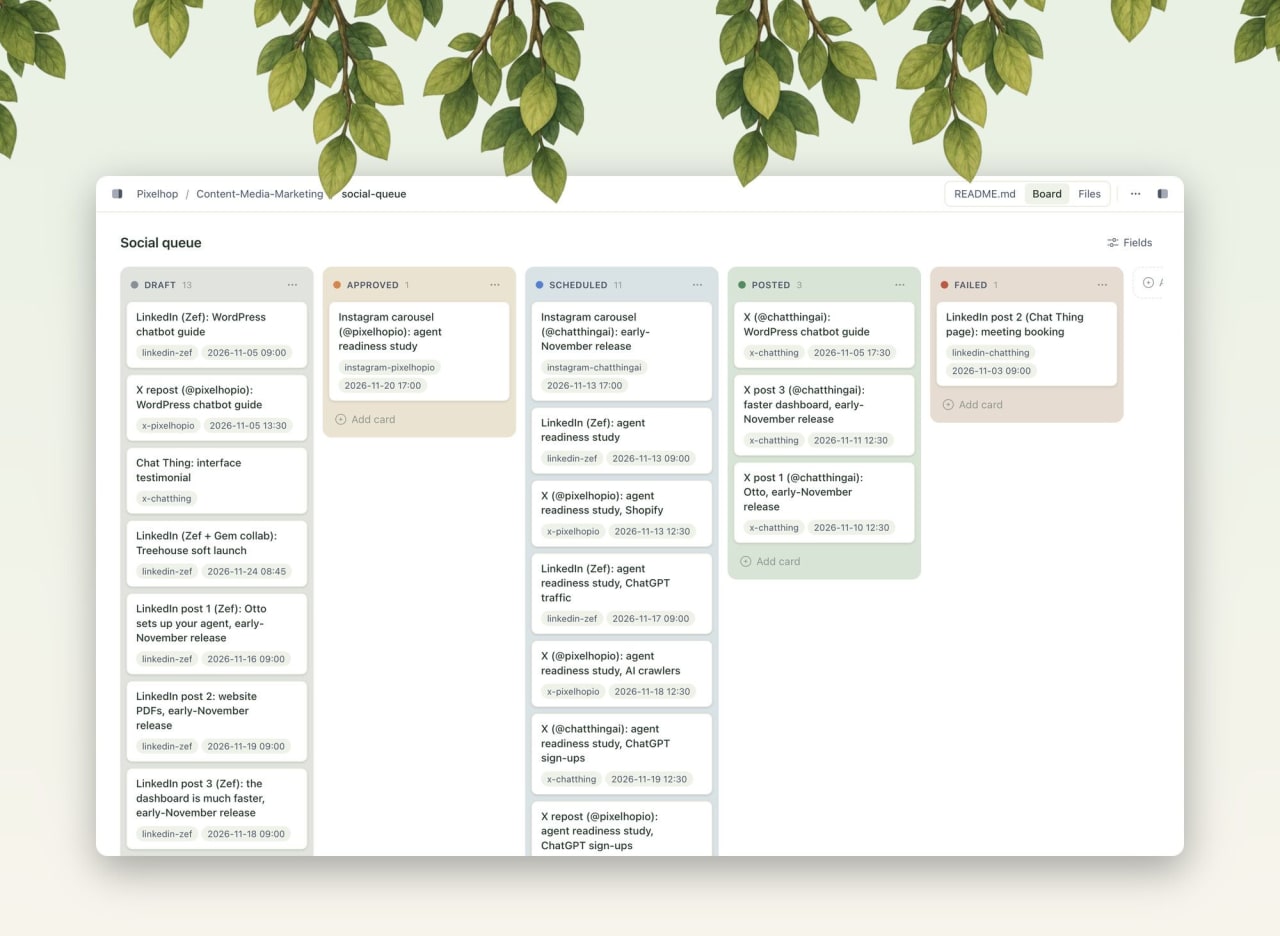 Our social queue. Each card is a Markdown file.
Agents write the cards. Only a person moves a card to Approved, by dragging it across. A small script we wrote picks up approved cards, publishes them at the right time and writes the live link back into the file, which moves the card to Posted.
We never bought a scheduling tool. People, agents and one script all read and write the same folder, and Treehouse gives us a pleasant way to look at it.
Try it
Treehouse is in public beta at trytree.house.
It's free to use on your own, and when you add teammates you pay for the humans. Agent keys are unlimited on every plan. The whole thing is open source under AGPL, so you can read the code or host it yourself.
There's a Mac app and a CLI for the synced folder. If your agent speaks MCP, connecting it takes one line:
claude mcp add --transport http treehouse https://api.trytree.house/api/mcp
If you already use Claude Code, Codex or Cursor for more than code, we'd love you to try it and tell us what breaks. 🐰

